It’s tough to compare digital DJ equipment nowadays – wildy different feature sets, approaches and, of course, price tags, mean that one man’s trash really can be another’s treasure. Let’s take a look at four of the big ones and try to figure out your ideal partner…

Put very simply, Ableton Live is the curveball, Scratch Live ( its brother Itch) and Traktor are the major league players caught at loggerheads, and Virtual DJ is the everyman underdog. But, of course, nothing’s ever simple nowadays… There are a variety of flavours of each to suit various tastes and it’s important to get to know what they can each do for you.
BEFORE WE BEGIN…

Something that everything in this article will rely on and assume is that you have a reasonably powerful computer. What ‘reasonably powerful’ actually constitutes is a bit of a contentious issue, as what one user is prepared to put up with at a pinch could be a dealbreaker for another. I would suggest (but by no means ‘recommend’) that a 2ghz Core 2 Duo or equivalent and at least 2GB RAM is a good low-end solution… your mileage may vary!
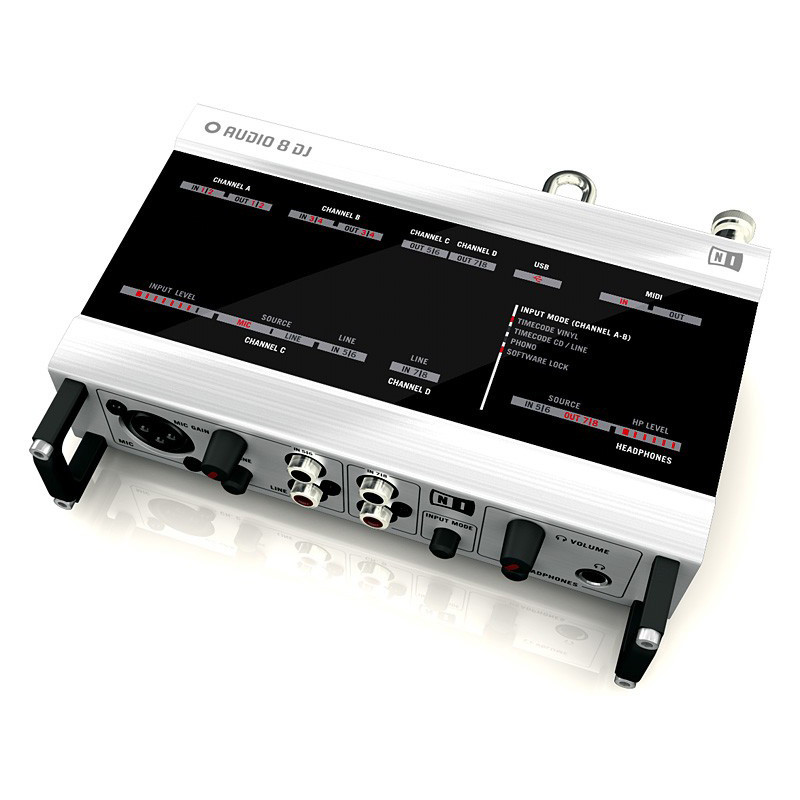
A good audio interface is important for digital DJing, as minimal latency is required for accurate manipulation and usually multiple channels are required for sending audio to external equipment and monitoring. Serato and Traktor Scratch products have an advantage in their inclusion of an audio interface; you will need to research appropriate interfaces for other software.
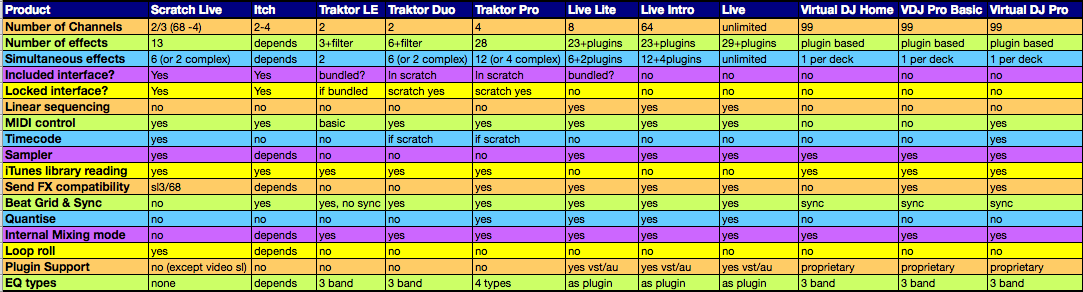
Finally, all the products below have a few different versions, from the ‘light’ version all the way to the full fat, bells and whistles “pro” one. There’s a link to each manufacturer’s comparison page at the bottom of each section. I’ve also drawn up a comparison chart of the various software detailing their functionality for some important features below.

Serato Scratch Live/Itch
 Serato make both Scratch Live and Itch. Itch is similar in many ways to Scratch Live, but at its core it is the software that drives integrated solutions such as the Vestax VCI 300 and the Allen & Heath Xone DX. Scratch Live is a DVS – it’s founded on the principle that it can be added to an existing turntable/CD setup to bolster a user’s options and complement their existing work flow.
Both Scratch Live and Itch are closed box systems; without compatible, licensed hardware neither will run. Scratch Live only runs with certain Rane hardware, and the product you pick will give you different options, from the basic SL1 box to the world beating Sixty Eight. Itch is a bespoke solution for the product it is paired with, and customisation isn’t really possible.
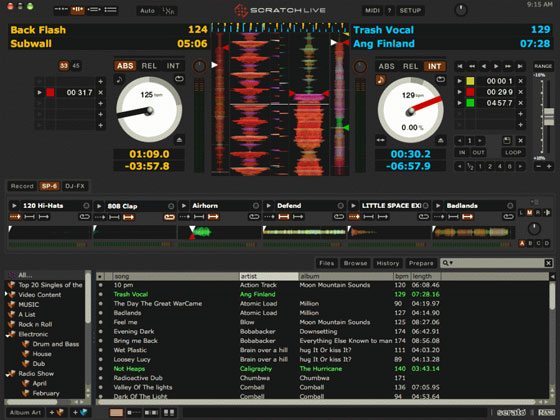
Serato have a couple of unique tricks up their sleeve – their visual aids are second to none, with transients from audio sources displayed in a stalagmite/stalagtite view that dynamically alters as you change the speed to align the spikes, allowing blazingly fast tempo matching. The GUI is also very no-nonsense, and Scratch Live’s approach to MIDI is a very simple Learn function. Serato also implement a Loop Roll (that grabbing the sound and then returning to the song later effect) feature that nobody else does (in that form), and a sampler too.
SL1 vs SL3 comparison
Scratch Live Pros
- Straightforward interface
- Simple MIDI Learn
- Sampler
- Supports VideoSL video mixing via addon
Cons
- Interfaces with most options (SL3, TTM57, Sixty Eight) are expensive
- No beat gridding
Itch Pros
- Beat grids and sync
- 1:1 hardware control
- Straightforward interface
Cons
- No customization/expandability
Native Instruments Traktor
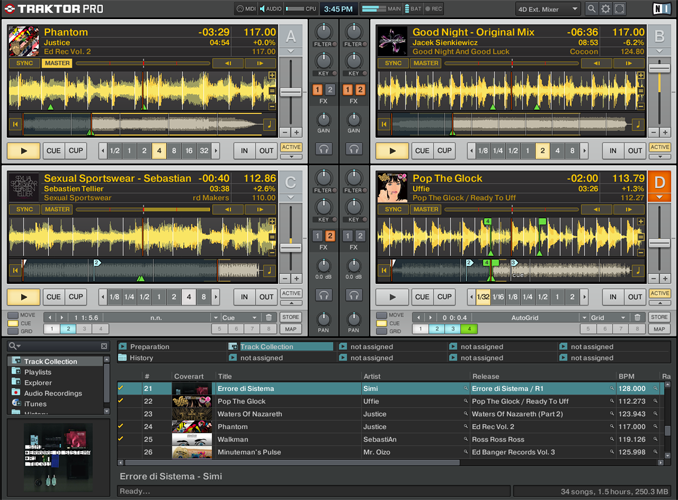
 Traktor is a highly tiered piece of software – there’s an entry level, a mid level, a fully featured level, plus several DVS versions to boot. Whereas Serato have created two products to distinguish a core difference between users who want to use traditional DJ equipment (CD/Turntable) to control the transport and mixing of their audio from those that are more interested in ‘in the box’ mixing, NI have put everything DJ under the Traktor umbrella, and this gives Traktor advantages both in customization and expandability.
MIDI control is perhaps Traktor’s forte, and whilst it lacks an on screen learn function, it does have what basically amounts to a scripting system which allows complex modifiers and multiple commands per control. It has a greater number of cue points available than Scratch Live, and its beat gridding and syncing options facilitate super tight mixing. The current version lacks a sampler and doesn’t have a loop roll function ala Serato, but it can emulate both of those features with creative use of its effects. (the newest version of traktor that this site recently reported appears to have both samples and loop decks)
The Traktor Scratch timecode is also recorded at 2kHz compared to Scratch Live’s 1kHz signal – doubling the accuracy at which the system can calculate the stylus position on the record.
Traktor LE/Duo/Pro comparison / Scratch comparison
Pros
- Powerful MIDI scripting
- Traktor Scratch has most accurate vinyl timecode emulation
- Beat grids and syncing
Cons
- No MIDI learn means it’s more awkward to make spur of the moment changes
- No Sampler (not counting the S4 edition)
Atomix Virtual DJ
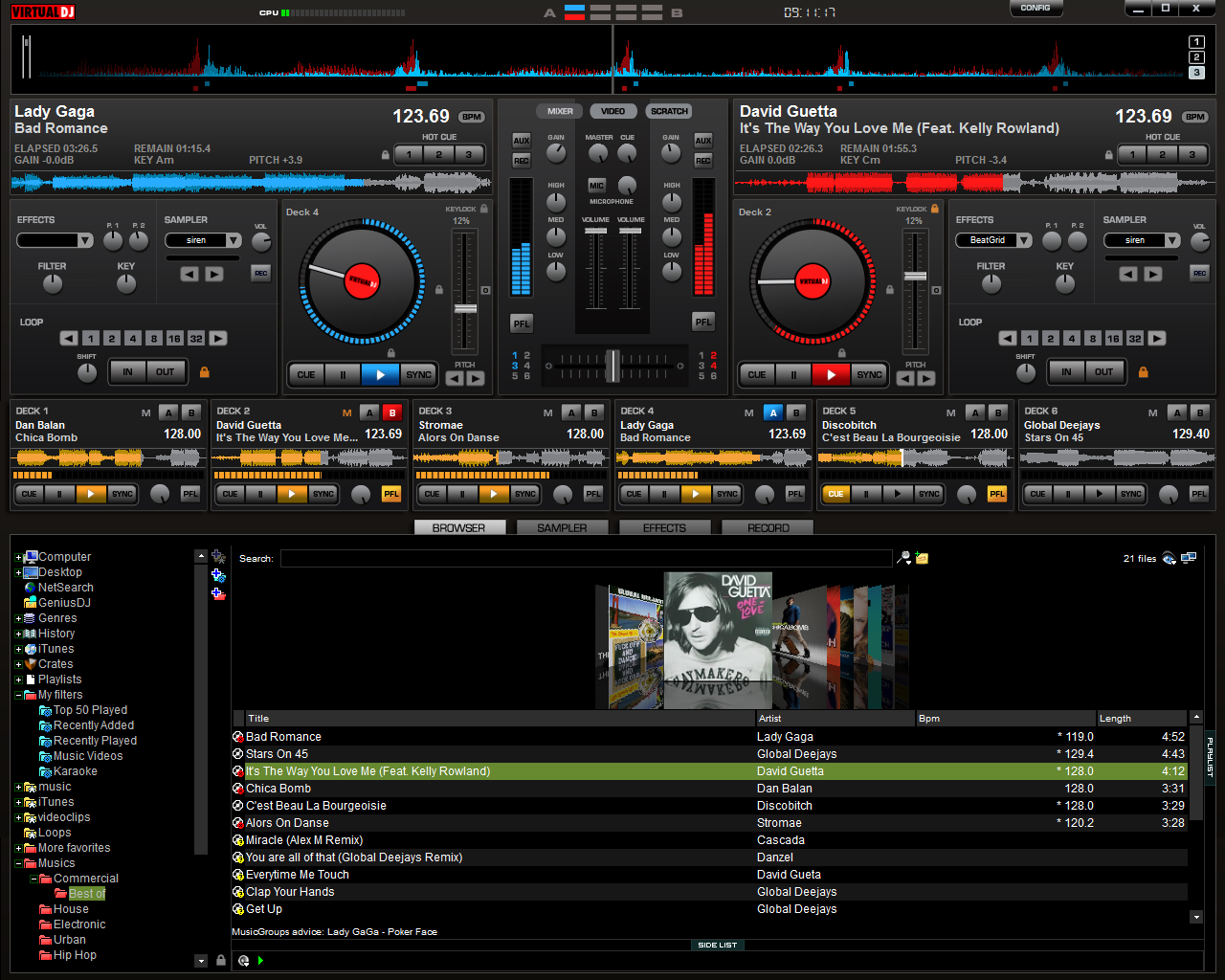
 Designed as a much more open piece of software than Traktor or Scratchlive, Virtual DJ encourages personalization through skinning, custom effects, and freedom over audio routing. It also comes in three tiers – a totally free version (for non commercial use) Home, Pro Basic and Pro. The main difference between Pro and Home are audio routing options. With the Home version, everything must be done ‘in the box’, and channels can’t be routed to different audio interface outputs to go into an external mixer. Pro Basic also removes MIDI and timecode from the feature set. All versions feature effects, a sampler, and internal EQ, but lack any beat gridding or syncing options.
Virtual DJ is a solid piece of software, and things like its ability to use any time code and up to 99 tracks with restrictions over their output/input routing mean it may give you the options you’ve always dreamed for your zany outside-the-box setup – for those with really wild imaginations, it even acts as a ReWire master. Alternatively, if you have more limited, keyboard and mouse aspirations for your foray into digital DJing, it’s a very cost effective way to get in the game.
Virtual DJ is also what’s really under the bonnet of a few custom branded DJ solutions – these OEM versions have varying feature sets, often less routing solutions but some MIDI compatibility.
Version comparison
Pros
- Home version is free
- Unrivalled input/output routing
- Highly customisable interface
- Video mixing option
Cons
- No MIDI control until the full priced Pro
- Less simultaneous effects
Ableton Live
 Live is the preeminent example of the hybridisation of DJing and production. There are high profile users of Live in both camps, and it seems to find favour with users who like to dabble on both sides of the fence. Live comes in four tiers – Lite, Intro, Full, and Suite.
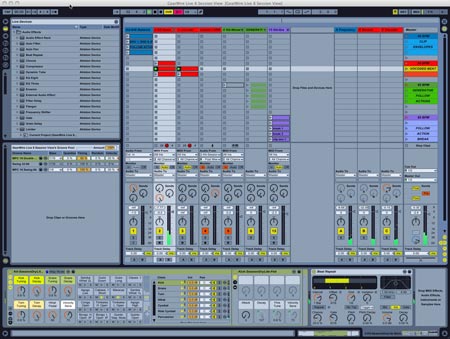
DJing with Live is somewhat different to a traditional DJing setup, as it’s very much an empty canvas that confounds the two-four deck mixing style. Live allows you to run as many audio tracks as you like, and play them on top of each other, beside each other, around each other… basically, any which way. It’s much more geared towards progressive sets which have been planned out and combine elements of live production and remix; if your style is rocking out a party with the best track for the moment, Live’s not going to be the best thing to do that – as everything needs to be ‘warped’ (pre-prepared).
It’s a supremely customisable piece of software though, and can be infinitely expanded with studio quality AU/VST plugins and Max For Live, a special version of Max/MSP that runs inside Live – even timecode control can be added to the software. Not only that, but there’s also The Bridge…
Live Lite comparison / Live Intro comparison
Pros
- Highly customisable to suit your workflow
- Expandable with VST/AU plugins
- The best option for live remixing
Cons
- Doesn’t feel like the traditional ‘DJing’
- Doesn’t suit on-the-fly parties
The Bridge
 Live and Scratch Live sitting in a tree… The Bridge is the result of Ableton and Serato’s collaboration effort. It’s not so much a product as a way to connect Scratch Live and Ableton Live, allowing you to take each’s best elements, throw them into a melting pot, distill them… and other clumsy alchemic metaphors. Put simply, it allows you to trigger and manipulate a Live song from within Scratch Live, letting you not only trigger clips via the Scratch Live interface but also attach the song to a deck, allowing pitch and playhead manipulation. It doesn’t turn the Live song into a scratchable track, but it does mean that nudges can be done with as much precision as you would with an audio file and your tracks can be remixed on the fly. You can also record out to Live, with pre fader outputs dropping into their own channels. This doesn’t seem like a massive deal until you use it with a TTM57sl or a Sixty Eight, and all of your fader and EQ motions are also saved – in effect you get a non destructive mixtape, which facilitates going in and making things that little bit more special.
You do need a copy of both Scratch Live and Ableton Live to make use of The Bridge, of course…
Pros
- Allows you to integrate the pros of Live and Scratch Live
- Mixtape recording with a 57/Sixty Eight enables really tight fine tuning
- Free for users of both Live and Scratch Live
Cons
- High system toll
- Expensive
COMPARISON
This is a lot of info to take in so perhaps this chart will help you compare digital dj software side by side:

Of course, the most important question is..

It’s all very well having a million tricks up your sleeve, and the temptation is always to buy the most feature laden version you can to ensure you don’t miss something you never realised you needed. In reality, though, it’s entirely likely that you’ll be just as happy with one of the intermediate level versions of a product – and don’t forget, manufacturers often provide upgrade incentives which allow you to buy in to the higher levels as your capabilities with the software grow. Here are five typical scenarios… do any of them sound like you?
I want to bolster my vinyl/CD based setup with a few additional capabilities, but mainly the ability to use my digital music library
Traktor Scratch Duo might be the best option for you. It’s inexpensive, has a great audio interface included, and will allow new options like cueing and looping to become part of your arsenal.
My decks are important to me; I don’t want to lose any quality when scratching nor lose my edge when going to clubs. However, I want to see how far I can take DJing creatively
Look at Scratch Live with an SL3 or Traktor Scratch Pro. With the opportunity to use effects, extensive MIDI control and powerful digital manipulation options, you’ll be able to do things that are impossible with vinyl – but for the times when only vinyl will do, you’re an input switch away from putting your trusted wax back on the decks.
I’m a producer, and I want to get into DJing. I really like the idea of bringing my production skills to the table
The obvious choice here is Ableton Live. You’ll be able to work out sets where you remix your own work on the fly and combine it with reworks and edits of other tracks. Alternatively, you could look into Traktor (and if you like the idea of scratching, Scratch Live or Traktor Scratch) for its huge effects power and cue point juggling possibilities.
I used my traditional setup because there was no other option. I’m not attached to all this gear – I want a more convenient, modern setup with lots of options
Don’t worry about Scratch Live or Traktor Scratch – DVS isn’t for you. Take a look around for a controller that really grabs your attention. If it’s Itch, problem solved. If not, Traktor Pro has a massive amount of effects and track manipulation options, syncing, quantising and more. If the thought of using more tracks than you have heads, shoulders knees and toes makes you giddy, Virtual DJ Pro will give you that power. Of course, so will Ableton Live, but in a very different way.
I’m a total beginner – I’ve got a computer, but a low budget. I want to dip my feet…
Virtual DJ has a home version which is free – it’s definitely geared towards hobbyists and hasn’t much in the way of control, but it’s fun for a dabble. Ableton offer 30 day trials of Live, and it’s worth taking a look to see if Intro takes your fancy.
Take a look at controllers and audio interfaces in your price range. Many come bundled with Live Lite, Traktor LE, or Virtual DJ LE. Not only will that give you excellent value for money, but discounts are available for upgrades to full versions of the softwares and you can learn as you save.

Hopefully you’re a little wiser as to the differences between these four digital DJ solutions. It would be remiss of me not to mention that there are of course a great deal more options on the market than these four, but were we to disseminate the pros and cons of everything on the market you’d never buy anything; perhaps a pertinent point is that you could DJ with a tape deck and a guitar pedal for effects if it took your fancy. Make sure your basic skills are on point and everything else will fall into place – including your sense of what features you actually need to take your DJing forward.

 WIP,
a Barcelona-based agency and label that throws parties, books events
and manages artists, has issued a strong statement on Facebook that
they’re no longer going to allow Native Instruments’ Traktor DJ software to be used at events that they throw in the future.
WIP,
a Barcelona-based agency and label that throws parties, books events
and manages artists, has issued a strong statement on Facebook that
they’re no longer going to allow Native Instruments’ Traktor DJ software to be used at events that they throw in the future.




 A full team of will be heading to NAMM 2011 this week to bring you all the news. A first report will be published thursday and then we will follow that up with our full annual report on Monday.

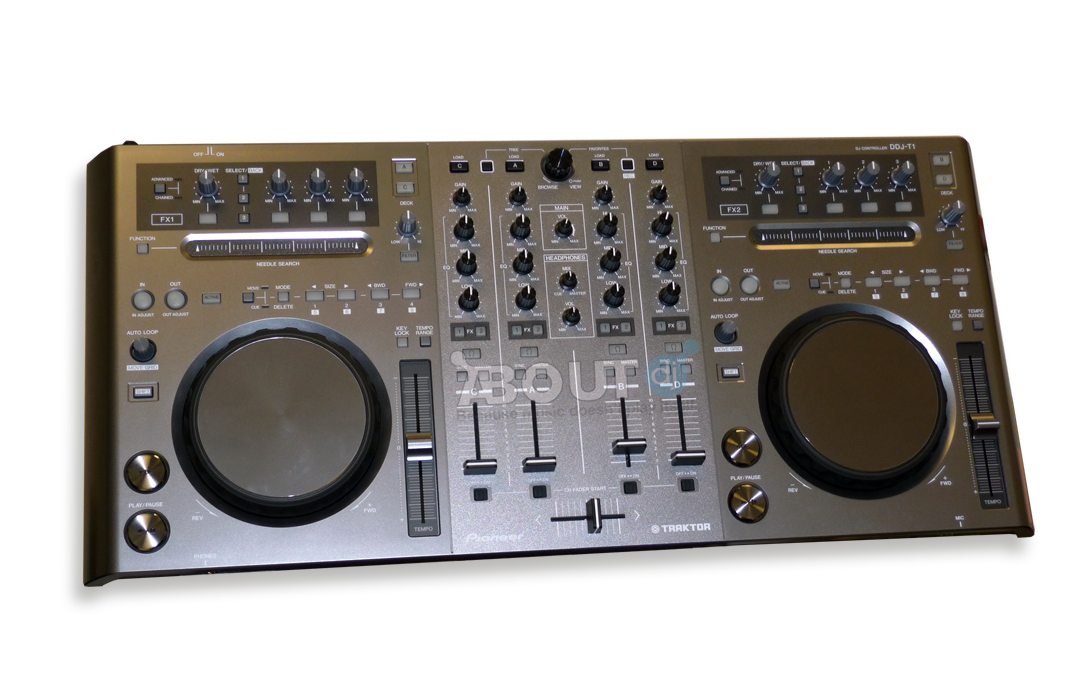
 Although widely rumored, its looking official, Pioneer is finally jumping on board the controller craze. They have been working on 2 models, 1 for Traktor (DDJ-T1) and one for Serato (DDJ-S1). Both are basically identical in layout but equipped with specific features for each software. We have known this was coming for a while but Pioneer did an amazing job of keeping it from leaking, especially considering they showed it to everyone under the sun. Read on for more speculation and a new record low volume of factual data!